How to update PAN details in demat accounts starts with a fact that catches many people out: you can’t change the PAN number itself, only the details attached to it. Your PAN stays the same for life. What you update is the name, date of birth, address or residential status linked to it, and then the KYC records at your broker and the KRA.
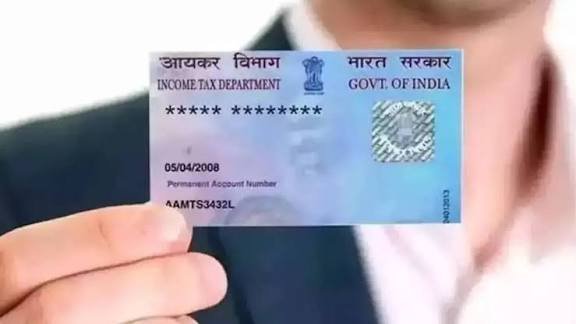
What You Can and Can’t Change
Knowing the boundary saves a pointless trip to the broker.
- Can’t change: the 10-character PAN itself
- Can update: name, address, date of birth, and residential status such as moving from NRI to resident
- Also linked: whether your PAN is linked to Aadhaar, which decides if it’s treated as operative
- Your demat account’s KYC attributes include name, address, PAN, mobile number, email and income range, and NSDL says an account missing complete attributes can become inactive or frozen for debit
Fix the Source First
If the underlying PAN data is wrong, correct it before touching the demat account.
- ICICI Direct’s guide says to update your PAN records first if they’re incorrect, then request the name change in your demat account
- PAN corrections go through NSDL or UTIITSL under “Changes or Correction in Existing PAN Data,” online or with Form 49A at a PAN centre
- Supporting documents are an ID proof, an address proof and a date-of-birth proof
- To link Aadhaar, use the Income Tax portal’s “Link Aadhaar” option, or send UIDPAN, then your 12-digit Aadhaar and 10-digit PAN, by SMS to 567678
Then Update Your Demat KYC
Once the PAN record is right, the demat side follows.
- Ask your broker or depository participant for the online KYC update option, or use the offline route with a KYC Modification Form
- Fill in the new details and submit it with self-attested supporting documents
- For a joint account, the form needs to be signed by all holders
- Most brokers can update contact details, address, income range, bank details and name, depending on their requirements
- NSDL also lets its demat holders update email and income range directly on its portal, while the other attributes go through your DP
The KRA Link
Your broker doesn’t hold your KYC alone. A KYC registration agency does too.
- The KRAs are CVL, NDML, DOTEX (NSE), CAMS and Karvy
- You can find which KRA holds your record by entering your PAN on the CVL KRA inquiry page
- Once the KRA approves the change, one broker says the updated details are fetched automatically within 2 to 3 working days
- A change that doesn’t reach the KRA can leave your KYC status mismatched
Name Changes After Marriage
A new surname is the most common reason for an update.
- Supporting documents for a name change typically include the PAN update acknowledgment, a marriage certificate or a Gazette notification
- A major name change needs manual review, so it can take longer
- Update the PAN first, then the demat account, since the depository checks your name against the PAN record
When PAN Isn’t Linked to Aadhaar
This is the cause of the most serious problems, and the rule has teeth.
- NSDL says demat accounts of eligible holders who hadn’t linked PAN with Aadhaar were suspended for both debit and credit from 8 July 2023, under freeze reason code 39, “Account holder related PAN inoperative”
- Because credit was suspended too, an affected account couldn’t even receive shares, including an IPO allotment
- After linking, you must inform your intermediary of the completed PAN-Aadhaar seeding, and you can also update the status on the KRA portal
- A frozen account can then be marked as unfrozen once the link is verified
If Your Residential Status Changes
A returning NRI can’t just keep the old account.
- One checklist says your existing NRI demat account needs to be converted to a resident demat account
- The steps it describes are to submit a conversion request, provide updated KYC documents, close the NRI account, open a resident account and transfer the securities
- Your PAN stays the same, and you update the residential status and address on the existing PAN through the Income Tax portal or NSDL or UTIITSL
- Update the linked bank account too, through your broker
Mismatches and How to Avoid Them
Small differences can block a KYC update, though some guides overstate this.
- One 2026 guide says even a single-letter name mismatch between PAN, Aadhaar and bank records can raise an “inoperative PAN” alert, which reads as a promotional exaggeration, but matching names is still sensible
- A person who recently turned 18 may find a PAN still flagged as a minor’s PAN, according to the same guide, and needs a correction application
- Check your KYC status at a KRA using your PAN before you start
- Keep your mobile number and email current, since the confirmations go there
A Short Checklist
Run through these before and after you apply.
- Check whether the problem is a name, date of birth, residential status or the Aadhaar link
- Fix the PAN record first, then the demat
- Gather the supporting documents, such as a marriage certificate for a name change
- Submit the KYC modification form, online or offline
- Tell your broker if you’ve completed PAN-Aadhaar seeding
- Confirm the update after 2 to 3 working days
FAQs
Q1. Can I change my PAN number in my demat account?
No. The PAN stays the same for life. You update the name, address, date of birth or status linked to it, then update your KYC with your broker.
Q2. What happens if my PAN isn’t linked to Aadhaar?
NSDL suspended such demat accounts for debit and credit from 8 July 2023 under freeze code 39. Link the PAN, then inform your intermediary so it can be unfrozen.
Q3. Which documents do I need for a name change?
Typically the PAN update acknowledgment, plus a marriage certificate or a Gazette notification. A major change may need manual review.
Q4. How long does a KYC update take to show up?
One broker says KRA-approved details are fetched automatically in 2 to 3 working days. Timelines differ by broker and by how complete the documents are.